Verified on release 3.0.74.2 "Accounting for Kazakhstan" (edition 3.0).
1. Purpose
The document records the fact of rendering production-type services to a customer. With a single posting it recognizes revenue from sales (account 6010), charges VAT (3130) and writes off the actual cost of the service to expenses (7010). Based on it, an ESF (electronic invoice) is issued.
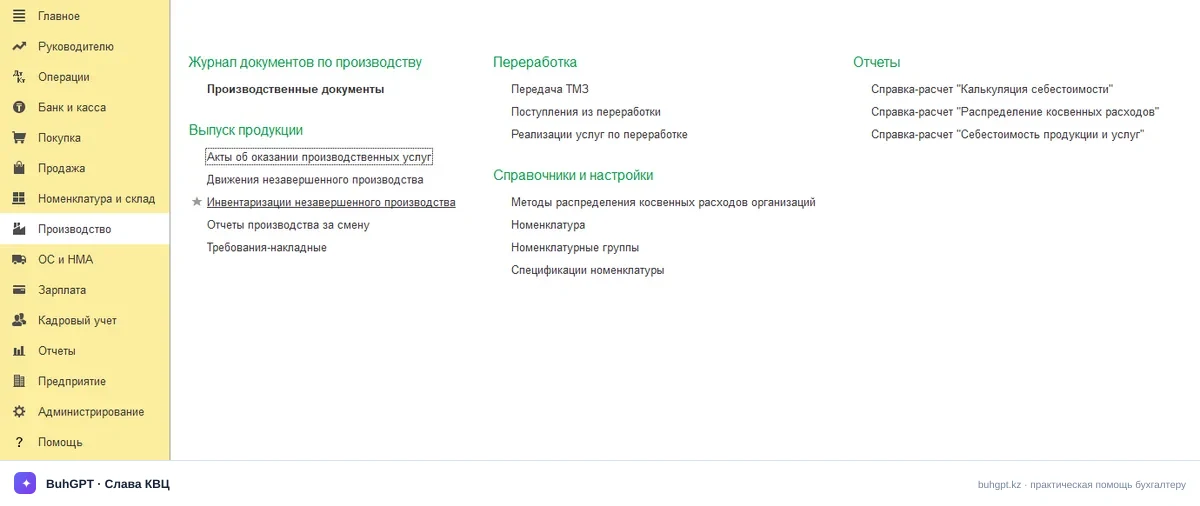
2. Where to find
3. How to fill in
Let's go through the header, the table sections and the tabs. Required fields are marked explicitly.
Header
Field | Why and what happens if wrong |
|---|---|
Organization (required) | Your legal entity acting as the provider. The accounting accounts, the VAT rate and the data for the ESF depend on it. If there are several organizations and the wrong one is selected — the postings will go to the wrong company, and the ESF will be sent from someone else's BIN. |
Counterparty (required) | The customer of the service. Fills in the receivables on 1210 and the recipient in the ESF. Make a mistake — and the debt will hang on the wrong counterparty, the reconciliation statement will not match. |
Contract (required) | The contract type must be "With customer". It determines the settlement currency, the mutual settlement accounts and the analytics. If a contract of the wrong type is substituted, the document will not be posted. |
Date (required) | The date of revenue and VAT recognition. It is also the turnover date for the ESF (which must be issued on time). Set the wrong month — and revenue and VAT will fall into the wrong tax period. |
Invoice for payment | Optional, for linking to the customer invoice. Does not affect the postings. |
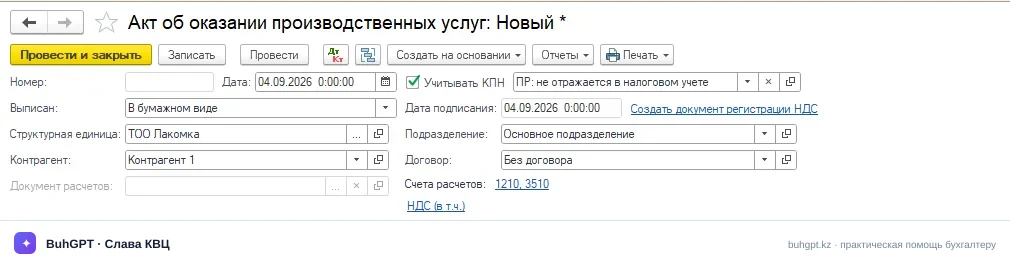
The "Services" table section
The main tab. Each row is one service.
Column | Why and what happens if wrong |
|---|---|
Item (service) (required) | An item with the type "Service". It pulls in the revenue and cost accounts. Select a regular product — and the program will ask for a write-off account as for inventory. |
Quantity / Price / Amount | The basis for the revenue amount. The price is taken from the contract's price type; check that it is without VAT (or with VAT — depending on the "Prices include VAT" setting). Mix it up — and the amount will differ from the counterparty's act exactly by the VAT. |
VAT % (required) | For taxable services — 16% (RK rate 2026). There are options "Without VAT" and "Exempt". Leave 12% from an old database — and you will underpay VAT. |
VAT amount | Calculated automatically from the amount and the rate. Edit manually only in case of a few-tiyn discrepancy with the counterparty's ESF. |
Revenue account (required) | By default 6010 "Revenue from rendering services". |
VAT account | 3130 "VAT payable". |
Planned cost (required) | Allows sales documents to be posted and costs written off every day, without waiting for the end of the month and the calculation of all expenses. |
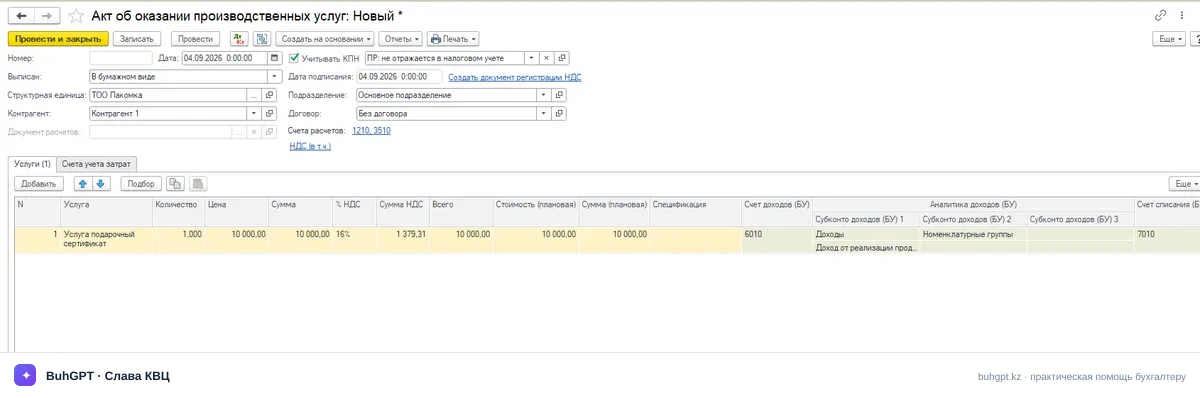
The "Accounting accounts / Cost" tab
Here you specify where to write off the actual cost of the service from. Usually this is account 8110 "Main production"; the total goes to the debit of 7010 "Cost of services rendered".
Post the document with the "Post and close" button.
4. Types of operation
The document supports the following scenarios:
Rendering services to a customer — the standard case: revenue + VAT + cost write-off.
Services without VAT / exempt — the "Without VAT" or "Exempt" rate, no posting on 3130 is generated.
Services in foreign currency — with a currency contract the amount is recalculated into tenge at the exchange rate on the date; settlements are conducted in the contract currency.
Services split by several item groups — several rows with different groups, the cost is written off for each.
Rendering services to structural units / internal services — with the corresponding analytics setting.
5. What is generated upon posting
Accounting postings: revenue recognition (Dt 1210 Ct 6010), VAT charge (Dt 1210 Ct 3130), cost write-off (Dt 7010 Ct 8110).
Register movements:
VAT accounting registers (for the VAT declaration, form 300.00) — the sales turnover and the charged VAT.
Mutual settlements with counterparties — an increase in receivables.
Revenue/sales registers for tax accounting (CIT).
6. Common mistakes
"The value of the 'Item group' attribute is not filled in" — you did not specify the group in the service row. Without it, the program does not know where to write off the cost from. Fill in the "Item group" column with the same group on which the costs were accumulated in production.
"The accounting account does not match the item type" — an item with the type "Product" is selected instead of "Service". Change the type in the item card or select the correct item.
The amount in the act does not match the counterparty's amount by the VAT value — you and the counterparty have different "Prices include VAT" settings or different rates. Check the flag in the form and the 16% rate.
The cost was not written off (no Dt 7010 posting) — there are no accumulated costs on account 8110 for the specified item group, or the accounting policy specifies write-off at month-end closing. Check the balance on 8110 and wait for the routine "Month-end closing" operation.
"The document date is earlier than the editing prohibition date" — the period is closed. Remove the prohibition date or set the document in an open period.
The ESF was issued past the deadline — the act was posted on time, but they forgot to send the invoice to the ESF IS. Issue and send the ESF within the period established by law to avoid a fine.
7. FAQ: Frequently asked questions
Question: Why is it mandatory to specify the planned price? We have no planned cost.
Answer: This is a technical feature of production accounting in 1C. Without the planned cost, the document will not write off the costs from class 8 accounts (for example, 8110) to the cost account 7010 at the moment of posting. If the exact amount is unknown, specify an approximate cost or temporarily put the sales price. At the end of the month, the document "Month-end closing" (cost calculation) will automatically adjust this figure to the actual one.
Question: What are the deadlines for issuing the EAVR and the ESF for production services in Kazakhstan?
Answer: Under the Tax Code of the RK, the ESF for services is issued no later than 15 calendar days after the date the turnover took place. In this case, the turnover date is the day the act of completed works (EAVR) is signed by both parties. Therefore, the EAVR is sent and approved first, and only then, based on it, the ESF is issued.
The "Act of rendering production services" in "1C:Accounting for Kazakhstan 3.0" is a key tool for enterprises that are engaged not simply in reselling, but in performing works and rendering production-type services.