Checked on release 3.0.74.2 "Accounting for Kazakhstan" (version 3.0).
The counterparty sends you a signed act for 1,160,000 ₸, but the amount in your database is different — 1,044,000 ₸. You open the sale and see: VAT was calculated at the old rate, instead of the current RK rate of 16%, because the document was copied from last year. Or the manager shipped the goods, and the accountant is unaware — the warehouse is "in the negative," the electronic invoice (ESF) has not been issued, the buyer calls and demands an invoice. All of this concerns the document "Sale of Goods and Services." This is your main sales document: it will write off the cost, accrue income, calculate VAT, and create the basis for the ESF. If you make a mistake here, it will affect both the turnover and the VAT declaration, as well as the corporate income tax (CIT).
1. Purpose
2. Where to find
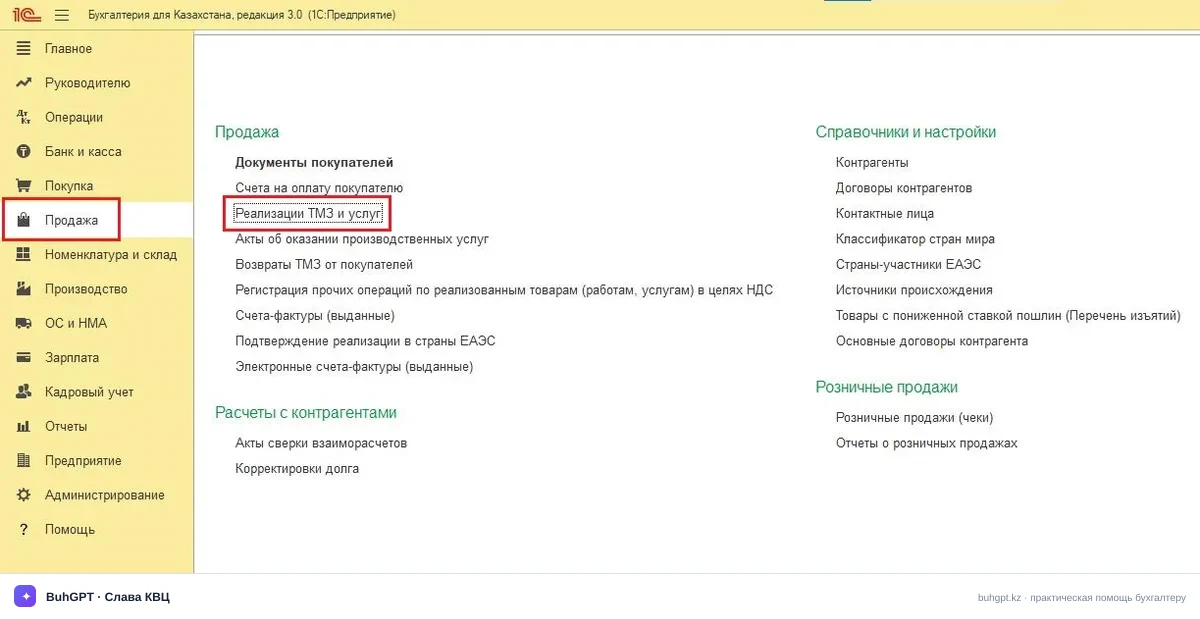
Section "Sales" → "Sale of Goods and Services" → button "Sale" → type of operation (for example, "Goods, services").
Or section "Purchases/Sales" depending on the interface settings.
Quick way: menu "Go to link" → or enter the link in the navigation bar and click on the suggested result with the link icon — "Sale of Goods and Services":
e1cib/list/Document.SaleOfGoodsAndServices
The list opens immediately with all sales. At the top — filtering by organization, counterparty, period.
2a. How to find your release
Dropdown menu "Service and settings" (two horizontal lines with sliders in the upper right corner) → "About the program".
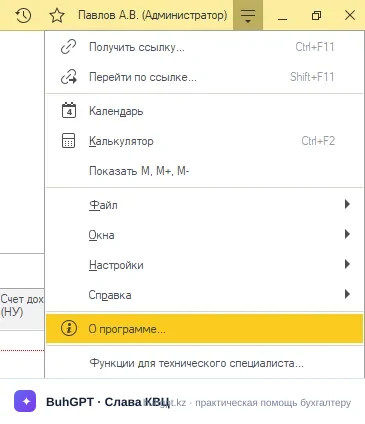
In the opened window, you will see two lines: platform version (for example, 8.3.24) and configuration version — this (3.0.74.2) needs to be checked against this instruction. The fields and entries between similar releases almost do not change, but if you have 3.0.70, some checkboxes may be in different places.
3. How to fill out
Open a new document and go from top to bottom. I mark [MANDATORY] where the document will not be processed or will be processed incorrectly without the field.
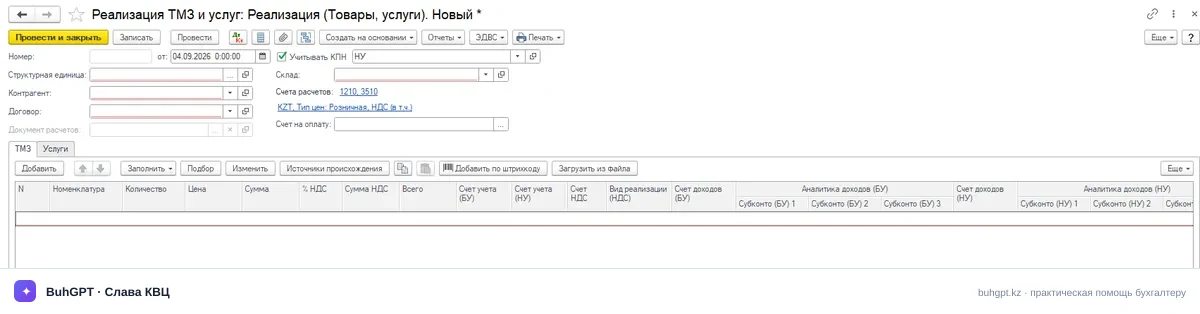
Field | Why and what will happen in case of error |
|---|---|
Structural unit [MANDATORY] | It affects the accounting accounts, VAT rate, chart of accounts. If there is only one organization in the database, it will be substituted automatically. If you make a mistake, the entries will go to the wrong place. |
Number / Date [MANDATORY] | The number is assigned automatically upon recording. The date determines the period of income and VAT recognition. If you set a date from a closed period, the entry will be blocked. |
Counterparty [MANDATORY] | The buyer. The contract, settlement accounts, and details for the ESF are linked to it. If there is no BIN/IIN, the ESF will not be issued. |
Contract [MANDATORY] | Must be of type "With the buyer". It sets the currency and payment terms. If you substitute a "with the supplier" contract, you will get an error regarding the type of settlement. |
Warehouse | From where you are writing off the goods. If you keep records by warehouses, this field is mandatory — otherwise, the balance will not be found. |
Bank account / Settlements | The link "Settlement accounts" sets the accounting accounts for settlements (1210) and advances (1210/3510), the method of offsetting the advance. Check before processing. |
Table part "Goods"/"Services" [MANDATORY] | Nomenclature, quantity, price, VAT rate, accounting accounts (1330 — goods, 7010 — cost, 6010 — income, 3130 — VAT). An empty table part means the document is meaningless. |
% VAT [MANDATORY] | For the year 2026 — the current RK rate is 16%. If the old rate is being used, it means you took it from last year's template; correct it, otherwise you will understate the tax. For non-taxable transactions — "Without VAT". |
Price includes VAT | The checkbox changes the calculation method: "including" or "on top". It affects the total amount. |
Accounting accounts | Checked in the columns of the table part: income 6010, cost 7010, goods 1330, VAT 3130. Usually substituted from the nomenclature settings. |
Tab "ESF"/"Additional" | Here are the basis, power of attorney, responsible persons. It affects printed forms and electronic documents. |
Buttons at the top: "Process" (movements without closing), "Process and close", "Create based on" (ESF, CIT, invoice, return).
4. An example with entries
Conditions. LLP "Aktiv" (VAT payer, OUR) sells on September 4, 2026, a batch of goods to LLP "Passiv": 100 pcs at a price of 10,000 ₸ each without VAT. The cost per unit is 6,000 ₸. The current RK VAT rate is 16%.
Calculation:
Cost without VAT: 100 × 10,000 = 1,000,000 ₸
VAT 16%: 1,000,000 × 16% = 160,000 ₸
Total to pay: 1,160,000 ₸
Cost: 100 × 6,000 = 600,000 ₸
Entries upon processing:
Dr | Cr | Amount, ₸ | Content |
|---|---|---|---|
1210 | 6010 | 1,000,000 | Income from sales accrued |
1210 | 3130 | 160,000 | VAT accrued for payment 16% |
7010 | 1330 | 600,000 | Cost of goods written off |
Result: the buyer's debt on Dr 1210 = 1,160,000 ₸, income 1,000,000 ₸, VAT to be paid 160,000 ₸, gross profit from this transaction = 1,000,000 − 600,000 = 400,000 ₸.
If the price included VAT (10,000 ₸ with VAT), then the income would be 10,000 / 1.16 = 8,620.69 ₸ per unit, VAT "inside." Always check against the counterparty's act: discrepancies usually lie in the checkbox "Price includes VAT" or in the rate.
5. Types of operation
When you click the "Sale" button in the document list, the program prompts you to select a scenario. The document changes behavior depending on the type of operation (button "Sale" → selection):