
In 1C: Accounting for Kazakhstan 3.0, update the configuration before preparing Form 910.00 for 2026 in the statutory report “Simplified Tax Return (Form 910.00).” The tax rate is 4% of income for the half-year, but the maslikhat may adjust it by up to 50% (Article 726 of the Tax Code of Kazakhstan).
At a glance
Update the 1C configuration and check the selected tax period before filling out the form.
Enter income and the tax rate in the statutory report itself.
File the return by the 15th day of the second month after the end of the half-year.
Pay the tax by the 25th day of the second month after the end of the half-year.
File a supplementary return to correct an initial return that has already been accepted.
What to Check Before Filling Out Form 910.00
The form is for taxpayers who use the special tax regime based on a simplified return. The order on tax reporting forms establishes the contents of the form and the rules for completing it (Form 910.00 and its explanatory notes).
Before creating the report, check the organization, the applicable tax regime, and the reporting half-year in the accounting database. Make sure income and any employee data have been recorded.
The software fills in the rate in field 910.00.002 based on the settings of the installed release. Before filing, check it against the rate applicable at your place of registration. The base rate is 4%, and the maslikhat may adjust it within the limits set by Article 726 of the Tax Code of Kazakhstan.
Item | Value |
|---|---|
Tax period | Half-year |
Base rate | 4% of income |
Permitted adjustment by the maslikhat | Up to 50% |
Filing deadline for the first half of the year | No later than 15 August |
Payment deadline for the first half of the year | No later than 25 August |
Filing deadline for the second half of the year | No later than 15 February |
Payment deadline for the second half of the year | No later than 25 February |
The filing and payment deadlines are set by Article 727 of the Tax Code of Kazakhstan.
How to Prepare the Report in 1C
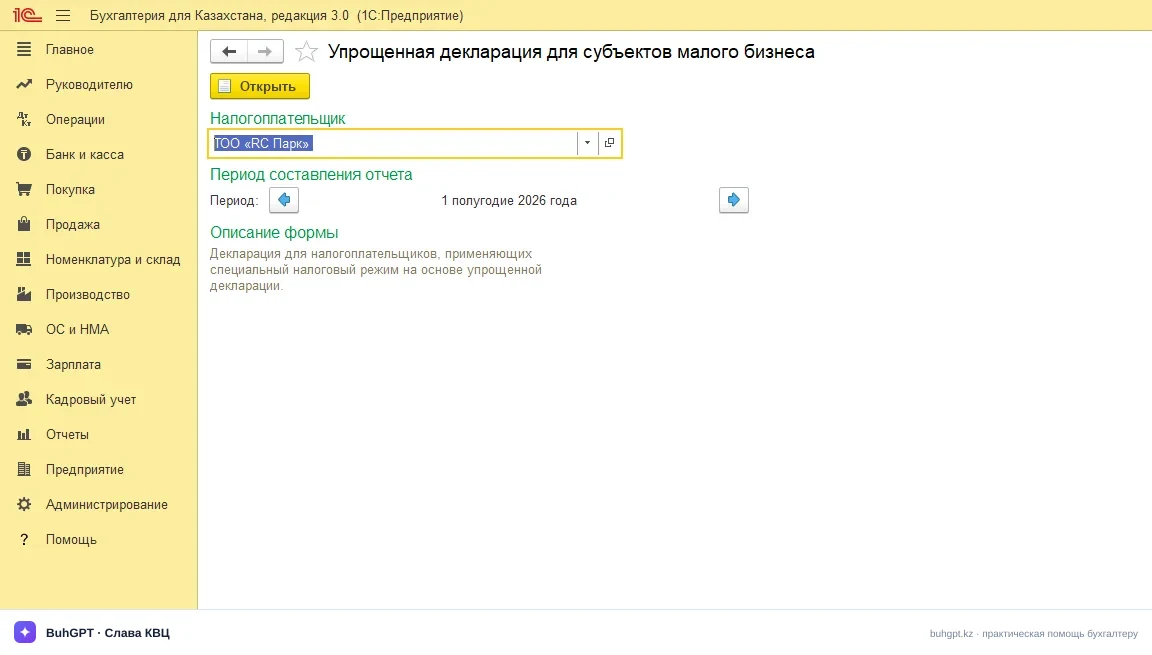
Set up the return directly in the statutory report “Simplified Tax Return (Form 910.00)” in the Accounting for Kazakhstan 3.0 configuration. The steps for working with and submitting the report are described in the Form 910.00 guide.
Open the statutory report “Simplified Tax Return (Form 910.00).”
Select the organization and the reporting half-year.
Create an “Initial” return if the state revenue authority has yet to accept a return for that period.
Fill out the report using the data in the accounting database.
Check the income and the rate in field 910.00.002.
If you have employees, check the section covering individual income tax withheld at source, pension and social payments, compulsory social health insurance, and average employee headcount.
Run the built-in validation check before exporting or submitting the return.
If you have no employees, leave the lines in the employee section blank. If you have employees, leaving line 910.00.007 blank will cause the return to fail format and logic validation (Form 910.00 guide).
Example — Calculating tax at the base rate.
Use the accounting records to determine the income for the half-year and report it on the return.
The base rate is 4% (Article 726 of the Tax Code of Kazakhstan).
The tax equals income for the half-year × 4%.
If the maslikhat has adjusted the rate, use the rate in effect at the taxpayer’s place of registration.
How to Check and Submit the Return
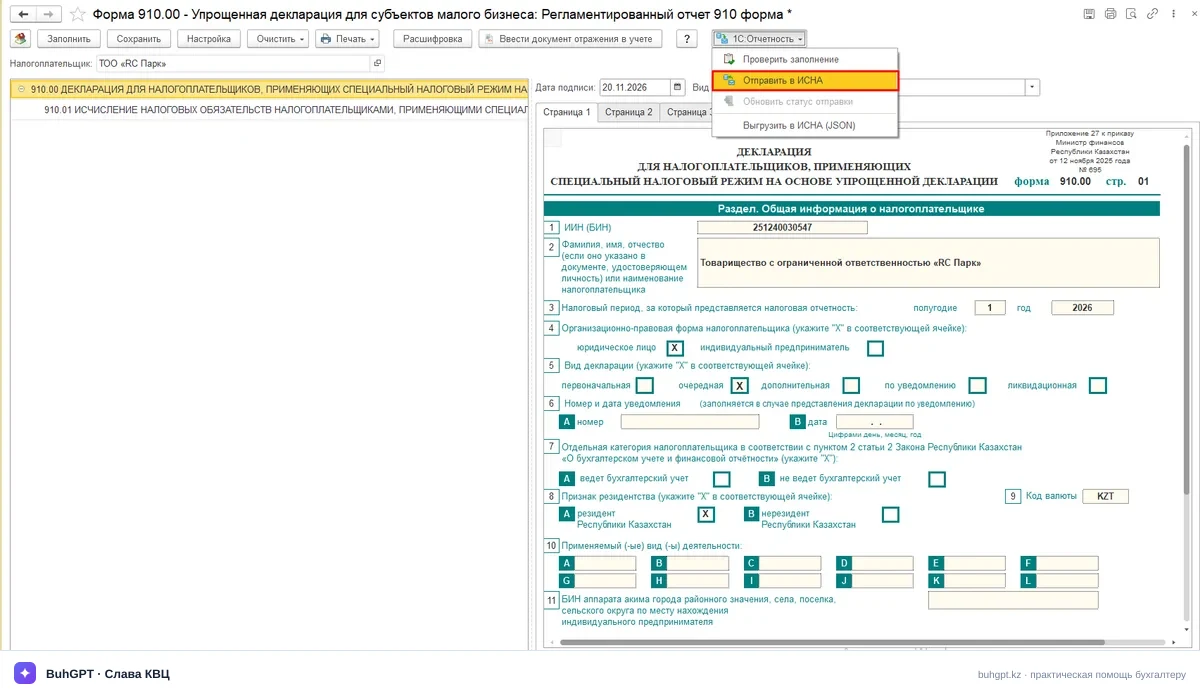
If the 1C Reporting service is connected, you can check the return in the report form and use the “Submit” button to send it. After submitting, obtain and save the acceptance confirmation (Form 910.00 guide).
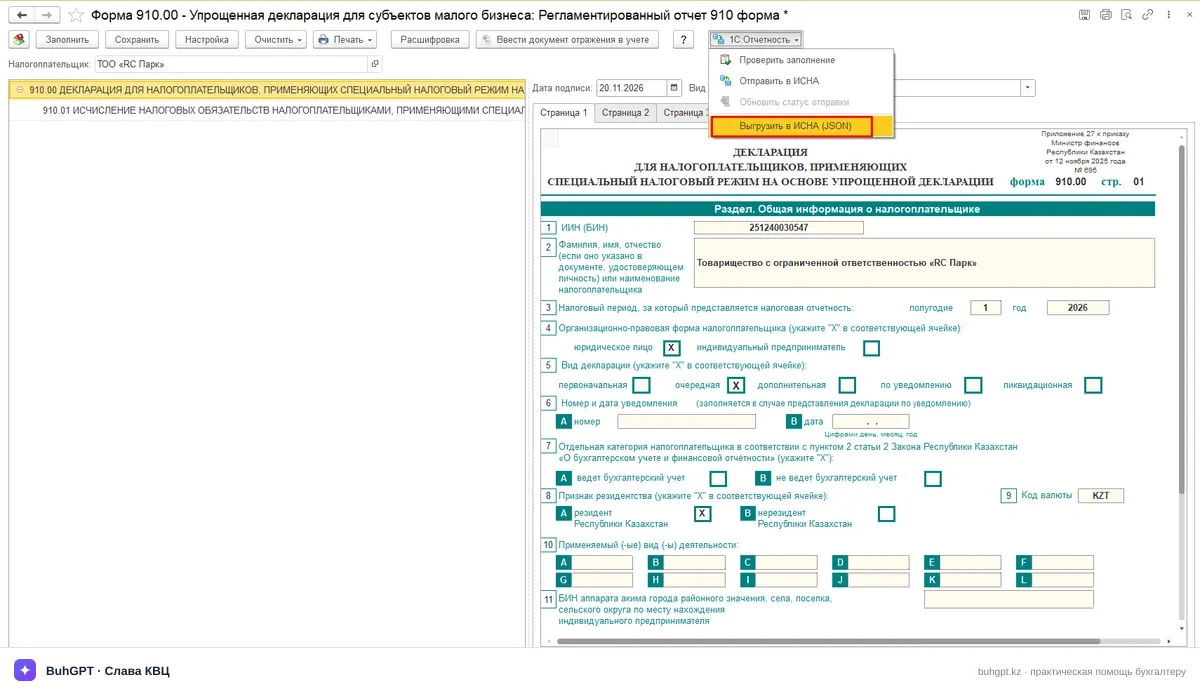
If the service is unavailable, use the “Export” command to generate an XML file in 1C. You can upload it to the ISNA Taxpayer Portal, where you can also view outstanding tax balances and your tax account.
Under the simplified return regime, taxpayers are exempt from social tax and VAT, except for import VAT and VAT payable on behalf of a non-resident (Article 722 of the Tax Code of Kazakhstan). When checking the form, take the 2026 rules into account before applying the previous social tax calculation method.
Important — If the initial return has already been accepted, create a “Supplementary” return and enter the corrected figures. The tax authority will reject a second “Initial” return for the same period (Form 910.00 guide).
Frequently Asked Questions
Why did 1C enter a different rate? — 1C fills in field 910.00.002 based on the settings of the installed release. Check the rate against Article 726 of the Tax Code of Kazakhstan and the maslikhat’s decision for your place of registration.
Do I need to fill out the employee section if I have no employees? — No. If you have no employees, leave the relevant lines for taxes, contributions, deductions, and headcount blank.
How do I correct a return that has already been accepted? — Create a new “Supplementary” return and enter the correct figures. Do not select “Initial” again.
Where do I upload the XML file from 1C? — Use the ISNA Taxpayer Portal.