Every customer inquiry is a potential sale
Customers can contact a company by phone, through its website, by email, via a messaging app, or in person. An inquiry can go unhandled if it is left unrecorded or if nobody is assigned to handle it.
In a typical scenario, a customer calls, the manager finds out what they need and promises to call back, then forgets. The sales manager learns about the problem only after the customer has already contacted a competitor.
A standard process for handling inbound inquiries helps prevent this.
Logging an inquiry in 1C:CRM for Kazakhstan
1C:CRM for Kazakhstan, version 3.0, provides tools for logging and handling inquiries, including the Inquiry Intake Wizard.
It helps with initial intake by identifying the customer, logging the inquiry, and routing it for follow-up.
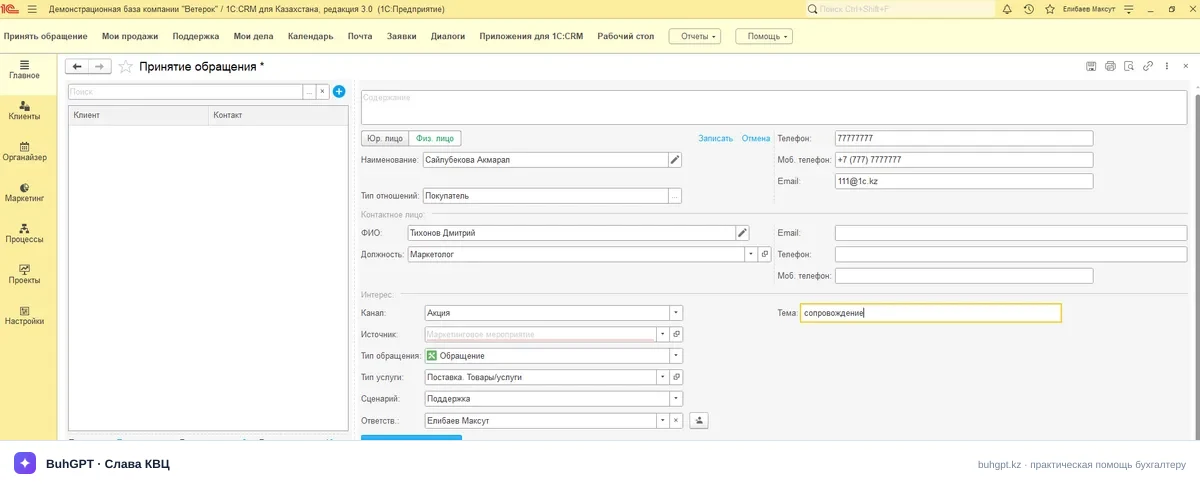
When a customer contacts you for the first time
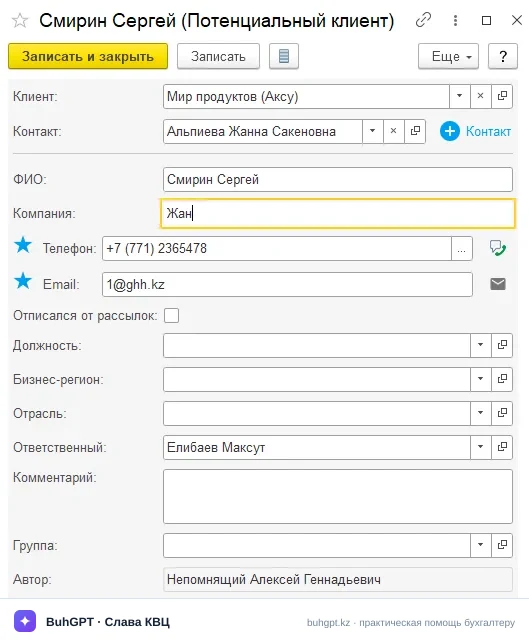
If the customer has no record in the database yet, enter their basic details.
Record the phone number and, whenever possible, the customer's name, company, contact details, how they reached you, and what they asked for.
This helps you build a customer database and use the information you collect for analysis.
Assigning a manager and following up
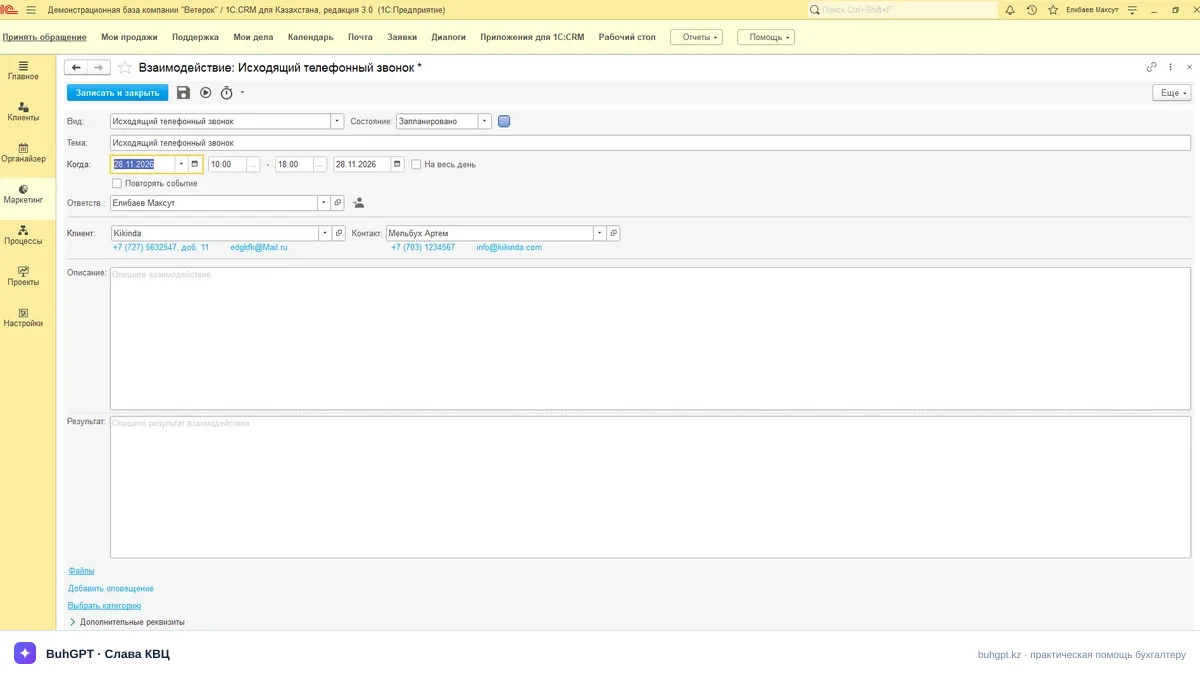
Once the inquiry is logged, assign someone to work with the customer.
The assigned manager should know the following:
exactly what the customer asked for
when to contact the customer
which actions have already been taken
what to do next
what stage the inquiry is at.
From inquiry to sale
An inquiry is just the start of the customer relationship.
Once the manager understands the customer's needs, they can clarify the requirements, prepare a proposal, negotiate, agree on terms, and coordinate the next steps.
Managing inquiries in the CRM gives the company a way to log each request and track its progress.
Every inquiry should get attention, and the sales manager gains a clearer view of the sales team's work.