What the Query “1с e ufknthbz” Means
Specific tax rates, reporting deadlines, and article numbers of legislation depend on the transaction, tax regime, and status of the organization. They should therefore be checked against current regulations and up-to-date support materials rather than determined solely from the software settings. 1C helps automate accounting but does not in itself replace an accountant’s professional judgment.
Which Version of 1C Is Suitable for an Accountant
When choosing, you should consider the number of organizations, users, and information databases, as well as the need for remote work. One option is a local installation, where the database and software are hosted on the company’s computer or server. The organization is independently responsible for maintenance, updates, backups, and employee access.
Another option is 1C:Fresh, which means using 1C over the internet. According to the service description, users do not need to install a server themselves or monitor updates. They can work from different computers and cities provided that internet access is available.
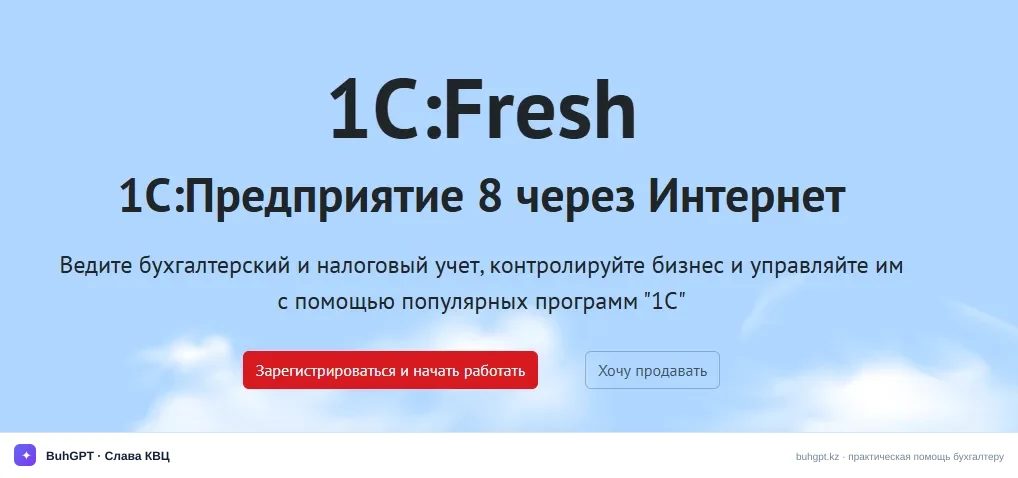
The cloud service offers:
1C:Accounting for Kazakhstan;
1C:Retail for Kazakhstan;
1C:Payroll and HR Management for Kazakhstan.
1C:Fresh is stated to support up to five concurrent sessions and up to ten databases. The plan includes support lines from 1C and 1C-Sapa, as well as access to BuhGPT.kz. These parameters should be compared with the actual number of employees and databases: accountants need users to be able to work simultaneously without organizational delays.
Before migrating an existing database to the cloud, you must first check whether its release is up to date. Customizations in the cloud environment are implemented through extensions. Before migration, it is advisable to create a backup, agree on the migration time, and, after uploading, check directories, balances, documents, user rights, and the generation of key reports.
What to Check Before Starting Work
You should begin not by entering documents but by checking the database parameters. An error in the initial setup may recur in all subsequent transactions and affect accounting data.
Accountants are advised to check:
the organization’s details and information about its divisions;
accounting policy parameters;
the types of accounting and taxation used;
the working chart of accounts and analytical accounting;
opening balances and the accounting start date;
user settings and rights;
methods of data exchange with external services;
the procedure for creating and storing backups.
If the database is being migrated from another system or uploaded to the cloud, it is best to perform checks using several typical transactions. You need to make sure that documents open correctly, balances match, printed forms work, and the required analytical data is retained. Only after such verification should you proceed to day-to-day work.
Updates require particular attention. An up-to-date release is necessary to account for changes in the legislation of the Republic of Kazakhstan and to ensure that regulated features work correctly. A 1C:ITS support agreement may include regular updates, consultations, installation assistance, and access to the information system for 1C users.
How to Organize Day-to-Day Accounting
A practical workflow is built around the timely preparation of source documents. First, the accountant checks the business basis of the transaction and the document’s mandatory details, then records it in the software and reviews the posting result. An automatically generated journal entry must be assessed based on its economic substance, especially for non-standard contracts, corrections, and manual transactions.
It is useful to establish an internal workflow:
- Determine who creates, checks, and posts documents.
- Restrict user rights in accordance with their responsibilities.
- Establish how often settlements are reconciled and incomplete transactions are checked.
- Monitor documents entered retrospectively or changed after the period was reviewed.
- Regularly generate control reports and save backups.
When working remotely, a shared account must not be given to colleagues. Individual user accounts make it easier to segregate access and identify who changed a document. The access rights of employees who have left or been transferred should be reviewed promptly.
If an organization uses electronic document management, it must be incorporated into the overall process by assigning responsibility for receiving, checking, signing, and storing documents. An electronic document should not be considered automatically correct merely because it was received through an integrated service. The accountant must still check the counterparty, the substance of the transaction, the details, and the document’s compliance with the contract.
What to Consider in 2026
In 2026, accountants should check whether the configuration being used complies with the current accounting requirements and legislation of Kazakhstan. Previous-year rates, limits, deadlines, or rules must not be carried over to the new period without verification. If an update has not yet been installed, it is better not to configure disputable transactions from memory.
Before the reporting period, it is useful to make sure that:
the software has been updated to the appropriate release;
the update has been tested on a backup or separate database;
the accounting policy corresponds to the actual activities;
data exchanges and integrations work without unprocessed errors;
the period-end closing contains no unexplained manual adjustments;
the accountant uses current forms and completion rules.
The cost of the cloud service and additional work may change, so the final subscription terms should be confirmed with the provider. Choosing a plan solely based on the lowest price is risky: consultations, the number of users and databases, data migration, training, and the need for customizations must be taken into account.
Frequently Asked Questions
What was meant by the query “1с e ufknthbz”? — Most likely, the user was looking for information about 1C:Accounting but made a typing error or used the wrong keyboard layout.
Can 1C be used without installing your own server? — Yes, the 1C:Fresh cloud option is suitable for this. A stable internet connection and an appropriate plan are required.
Will data from an existing database be migrated to the cloud? — Migration is supported, but before it begins, you must check whether the release is up to date and create a backup. After uploading, you must reconcile balances, documents, directories, and user rights.
Does an updated version of 1C eliminate the need to check legislation? — No. An update keeps the software’s features current, but responsibility for correctly classifying transactions and checking the applicable rules remains with the specialist.
Is a support agreement necessary? — Support is useful for obtaining updates, consultations, and technical assistance. The appropriate plan is selected based on the number of databases, the required work, and how the software is used.